Skip to content
HOW TO JOIN THE HUNT
PLAYING FOR THE FIRST TIME (NO GOOSECHASE ACCOUNT):
- Download the “Goosechase” app from Google Play or the App Store
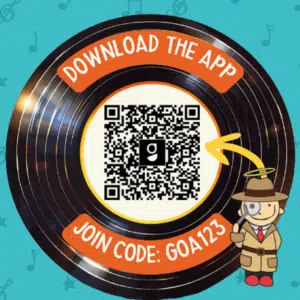 Tap “Get Started.”
- In the “Find your Experience” box enter GOA123 or 2026 Games of Acadiana; the game should appear.
- Tap “Sign up.”
- Enter your email. Either adopt the suggested password or create your own. Tap “Sign up.”
- Tap “Let’s Go” and “Join” (confirming your email).
- Either create a team or join a team.
- To create a new team press “Create Team.”
- Enter the name of your new team. Note your team’s passcode – if you want others to join your team and participate with separate mobile devices, they will need this passcode.
- When you are ready to move on, press “Next.”
- Here you will be asked for a nickname; if you are a team of one player, you can enter your team name again. Press “Done.”
- To join a team that’s already been created, scroll and select that team; press “Join.”
- Enter the team’s passcode (obtain passcode from team creator), and press “OK.”
- Here you will be asked for a name you would like to be called within the team. Enter your nickname and press “Done.”
ALREADY HAVE A GOOSECHASE ACCOUNT:
- Note: If you created an account in a previous game, you can log in to that account.
- Search for the game by using game code “GOA123” or by tapping the search icon and entering “2026 Games of Acadiana” in the search bar.
- Once you have selected 2026 Games of Acadiana, press the “Let’s Go!” button.
- Confirm your email by pressing “Join.”
- Either create a team or join a team.
- To create a new team press “Create Team.”
- Here, there are options to: (a) create your team’s name (if you’ve played before, you can reuse your same team name), (b) note your team’s passcode – if you want others to join your team and participate with separate mobile devices, they will need this passcode.
- When you are ready to move on, press “Next.”
- Here you will be asked for a nickname; if you are a team of one player, you can enter your team name again. Press “Done.”
-
- To join a team that’s already been created, scroll and select that team; press “Join.”
- Enter the team’s passcode (obtain passcode from team creator), and press “OK.”
- Here you will be asked for a name you would like to be called within the team. Enter your nickname and press “Done.”
Enable notifications – We strongly recommend you enable notifications within your device’s settings; we will be sending instructions and bonus opportunities throughout the game. Additionally, we will send the winning teams notifications through the app.
Still confused? No worries – contact us at huntacadiana@gmail.com or come to the Kickoff at Blackham Coliseum (Saturday, May 30, 10:00am – 2:00pm)! We will have game specialists onsite during the event ready to help!
Share This Story, Choose Your Platform!
Page load link