Games of Acadiana

Acadiana’s Ultimate Virtual Scavenger Hunt
Since the first Games of Acadiana in 2001, MPCS’ largest annual fundraiser has united our community to Play With A Purpose.
Dive into exciting challenges, earn chances at fabulous prizes, and help support local families fighting, surviving, and living with cancer. The fun begins with a live, family-friendly kickoff celebration and continues for 15 days of play-whether you’re in your backyard or on the go, laughter, connection, and memories await.
Congrats to the 2026 Prize Winners!
Congrats to the 2026 Prize Winners!
- Soileau Fam/Megan Soileau – Bose Headphones
- Tootie’s Gang/Kaliyah Demouchet – LED Stunt Drone, Another Broken Egg, Parish Ink
- Lasseigne Party of 8/Heather Lasseigne – Chick-fil-A, La Madeline’s, Edie’s
- Acadiana Pain/Jordan Delaney – Great Harvest Bread- Free Bread for a Year
- WildRice/Victoria Atkinson – Raising Canes Gift Basket & Stanley Cup
- Cousins Having Fun/Rebecca Fremin – Maven Womenswear, Walk-On’s
- Acadiana Pain/Jordan Delaney – Southern Hospitality Kitchen, Bevo’s, Parish Ink
- Michael Cain – Hub City Diner & Kart Ranch
- Society of Adventurers/Cassi Kidder – Moncus Park One Year Parking Pass
- DesOrmeaux3/David Desormeaux – Old Tyme Grocery, Baskin Robbins, Edie’s
- Okies Crew/April Sanders – Judice Inn, Acadian Religious, Andy’s Frozen Custard
- WildRice/Victoria Atkinson – Chick-fil-A, La Madeline’s, Walk-On’s
- Swamp Sisters/Darian Dupuis – Top Golf, Judice Inn, Kart Ranch
- Denise Durel – iMac Mini
- Finley’s Flock/Lydia Boggess – Caroline & Company, Reve Coffee, Parish Ink
- We Three! L-H-E/Jean DeLatte – Kodak Camera/Photo Printer
- The Who Dats/Tanya Verret – Chicken Salad Chick Family Pack, Hub City Diner, Kart Ranch
- LanFam/Amber Landry – JBL Charge 5
- Denise Durel – Another Broken Egg, Playa Bowls, Andy’s Frozen Custard
- Cheaper by the bakers dozen/Christian – Sager Reve Coffee, La Madeline’s, Edie’s
- Von Berger – Chromebook
- Andrew Gossen – Old Tyme Grocery, Andy’s Frozen Custard, Walk-On’s
- #11TrioCrown26/Madelyn Alexander – Abbey Road Limited Edition Record & Record Player, Central Pizza, Andy’s Frozen Custard
- Cousins Having Fun/Rebecca Fremin – Melodi’s Boutique, La Madeleine’s, Edie’s
- TeamSatchmo/Gena Maraist – Taysom Hill Jersey
- Steroudkizziars Stars/Charlotte Kizziar – Maven Womenswear, Walk-On’s
- Thibkids/Heidi Thibodeaux – Airpods, Cajun Table, Andy’s Frozen Custard
- Emily Guidry – Embark Jewelry, Burger Smith, Caroline’s Cookies
- Rodriguez Young Crazy Family/Samantha Rodrigues – The Cajun Table, Walk-On’s, Edie’s, Andy’s Frozen Custard
- In Memory of Martha, Miles, and Mom/Stacey Patin – Twin’s Burgers, Painted Bayou, Playa Bowls
- Cousins Having Fun/Rebecca Fremin – Judice Inn, la Madeleine’s, Walk-On’s
- Cheaper by the bakers dozen/Christian Sager – Soundcore Boom v 2, Parish Ink, Juidce Inn
- Tia Castille – Karaoke Machine, Chick-fil-A, Rock n Sake
- Pamela Philips – The Pink Paisley & EchoShow
- London Deats – Playa Bowls, la Madeleine’s, Walk-On’s
- Whimsical Women Warriors/Pat Sonnier – Maven Womenswear, Edie’s
- Denise Durel – Toonie Series 2
- Blair Christ – Acadian Village, Andy’s Frozen Custard, Walk-On’s
- Vanessa Paredes – Old Tyme Grocery, La Madeline’s, Edie’s
- Nick Taylor – Raising Cane’s Gift Basket
- Nanna and Parpus – Rock n Sake, Reve Coffee
- Team Bubalub/Johnathon Choate – Build-A-Bear, HTeaO Hydro Flask & Gift Card, Playa Bowls
- Woodmont5/Elizabeth – Mini Portable Projector, La Madeline’s, Playa Bowls
- Denise Durel – Reve Coffee, La Madeline’s, Edie’s
- Chase Broussard – Olde Tyme Grocery, Andy’s Frozen Custard, Walk-On’s
- The Creighton’s/Jenee Creighton – Bissell Green Machine
- TheShadowBlender/Julie Ortego – Metcon One Month Membership
- David Hebert – Chick-fil-A, La Madeline’s, Walk-On’s
- Wissam Hanayneh – Maven Womenswear, Edie’s
- Leblanc & Simmons Fam/Andra Kelly – Nintendo Switch 2
- Winner Winner Chicken Dinner/Jillian Fuselier – $10,000 GRAND PRIZE
Kick Off the Fun: May 30, 2026
On Saturday, May 30th at Blackham Coliseum, GOA will kick off the fun at 10am with a family-centered live event celebrating Acadiana cancer survivors and launching our virtual scavenger hunt.
The Kickoff will feature an incredible Survivor Walk, interactive games, scavenger hunt tips and secret missions, and high-energy fun. More details coming soon!
9am – Doors open at Blackham Coliseum
10am – Opening Ceremonies begin (featuring the Survivor Walk!)
11am – Food service begins
2pm – The fun winds down
The Fun Continues: May 30– June 13, 2026
Join us as we once again turn all of Acadiana into our playground with a virtual scavenger hunt. Download a free app featuring 100+ missions filled with creative challenges, local adventures, silly antics, brain teasers, and laugh-out-loud moments.
It’s good old-fashioned family fun with a great bonus — every point you earn brings you closer to entries in our prize drawing, including a $10,000 grand prize!
What to Expect
EXCITING CHALLENGES – Get ready to dive into a world of fun and excitement with our music-themed challenges right from the comfort of your phone!
FREE FUN FOR ALL AGES – With over 100 missions, we have something exciting in store for every age. Play with family, friends, or coworkers to create memories that last a lifetime.
FABULOUS PRIZES – Prepare to be rewarded for your adventurous spirit! Win fabulous prizes, including $10,000, tech prizes, and gift cards from local restaurants and businesses.
HELP LOCAL FAMILIES – Participating in Games of Acadiana isn’t just about having fun; it’s about making a meaningful difference in the lives of local families battling cancer. Your participation helps provide vital resources, support services, and a caring community to those in need.


Join the Hunt
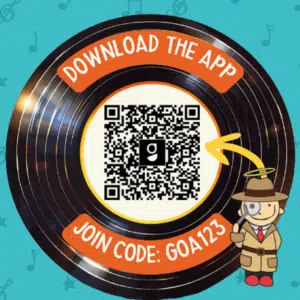
DOWNLOAD THE FREE APP – Download the free app, Goosechase, and gear up for an adventure-filled experience right at your fingertips. Then use the game code GOA123, or tap the search icon and enter “2026 Games of Acadiana” in the search bar.


COMPLETE MISSIONS – Dive into a world of excitement as you complete activities, tasks, and challenges that are sure to be fun for the whole family.
EARN POINTS – Every mission you complete earns you valuable points, bringing you one step closer to a chance at fabulous prizes. Every 10,000 points earned is an entry into the prize drawing!


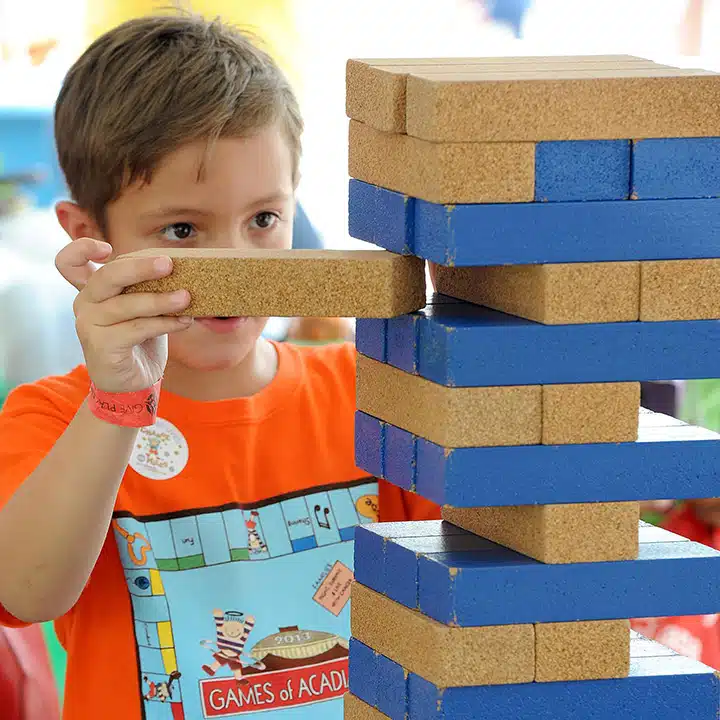


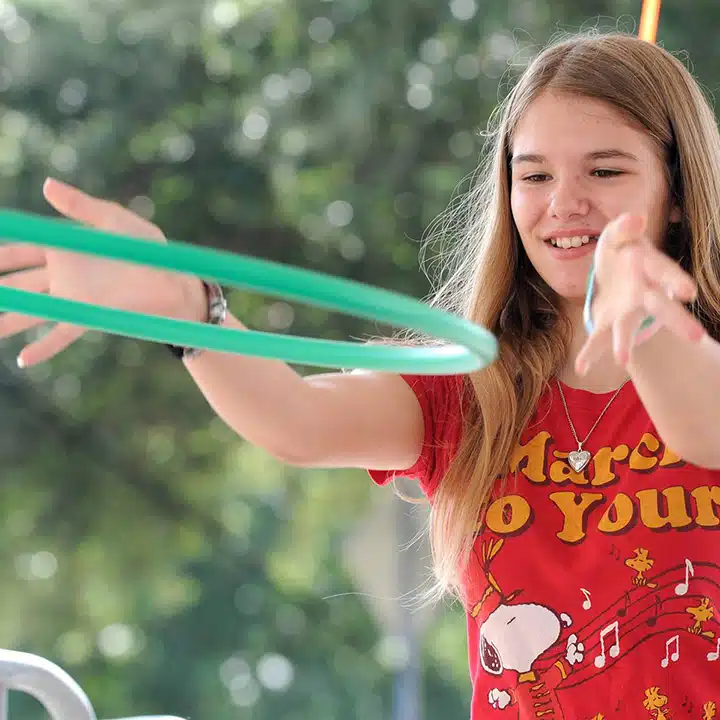
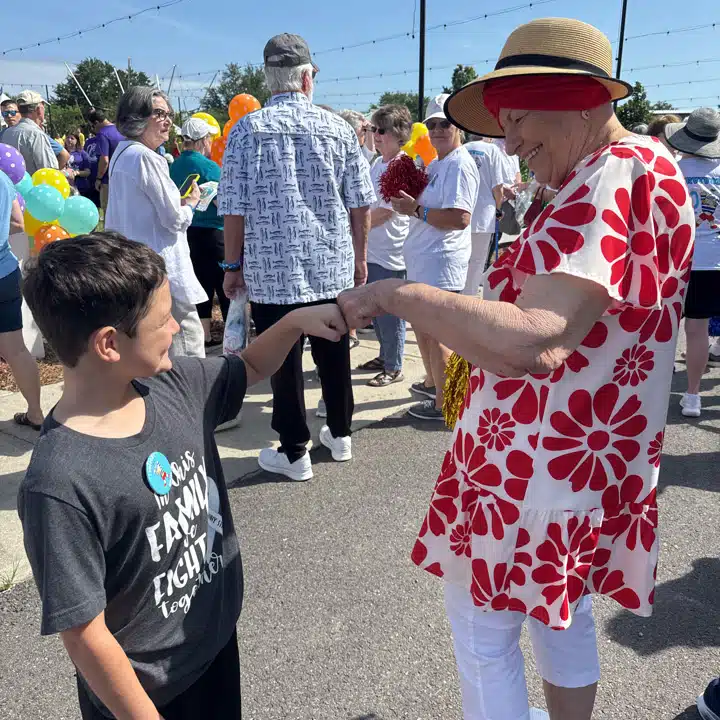

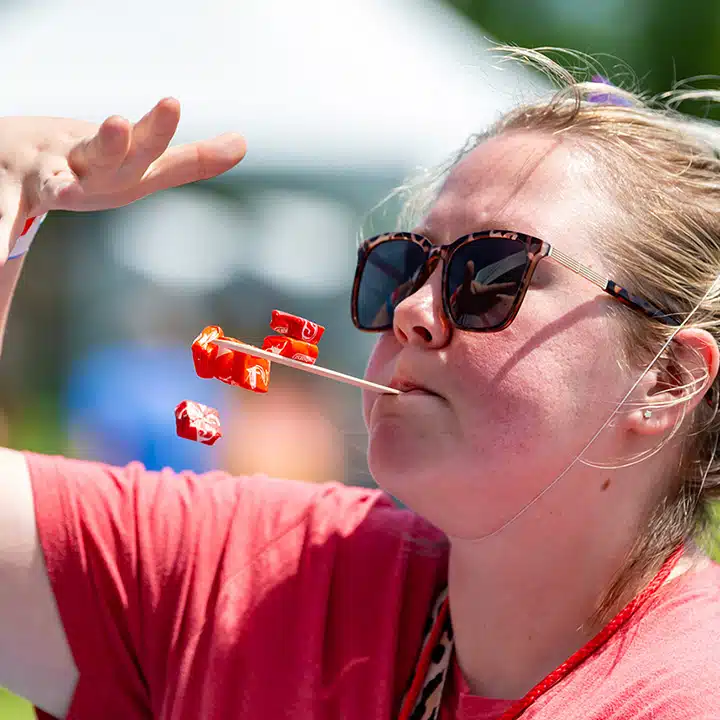

About the Game
The hunt includes 100+ missions, each worth a set number of points. Complete missions to earn points; every 10,000 points earns your team one entry into the prize drawing. Want to improve your odds? As always, the hunt is FREE to play, but additional entries can be purchased for $20 each.
Raffle Tickets
No time to hunt? No problem. You can also enter the prize drawing by purchasing a raffle ticket. Raffle tickets are available for $20 each at milesperret.org/raffle. Every ticket purchased not only increases your chances of winning, but also helps local families fight, survive, and live with cancer.
Prizes
The drawing will be held on June 20th live on MPCS’ Facebook. You need not be present to win. Over 50 fabulous prizes will be awarded – including a grand prize of $10,000! Return soon for a list of 2026 prizes.
Important Info
All proceeds from Games of Acadiana will benefit Miles Perret Cancer Services (MPCS), a local nonprofit resource center dedicated to serving the families of Acadiana fighting, surviving, and living with cancer.
On Saturday, May 30, join us at Blackham Coliseum (2330 Johnston Street) as we officially kick off the Games of Acadiana Scavenger Hunt. The kickoff will feature a Survivor Walk, interactive games, and high-energy entertainment. The event is free and open to the public. The hours are 10AM to 2PM.
We can’t wait to see you there as we commemorate 26 years of hope, service, and Playing with a Purpose!
All proceeds from Games of Acadiana benefit Miles Perret Cancer Services (MPCS), a local nonprofit resource center dedicated to serving the families of Acadiana fighting, surviving, and living with cancer.
All proceeds from Games of Acadiana benefit Miles Perret Cancer Services (MPCS), a local nonprofit resource center dedicated to serving the families of Acadiana fighting, surviving, and living with cancer.
The app will be available for free download on March 30. It will be activated for play on Saturday, May 30, 2026, at 8:00am. Note: The Mission Masters have been known to release bonus missions and sneak peaks to those who register early. The scavenger hunt will officially end on June 13, 2026, at 5:00pm.
Raffle tickets will go on sale on Monday, March 30, 2026, at 10:00am. Tickets will be sold until midnight, June 14, 2026.
Yes, the kickoff is free to attend, however registration for the virtual scavenger hunt and check-in are required. At the registration/check-in table you will receive a wristband that allows free play, and volunteers will be able to assist you in registering for the virtual scavenger hunt.
No, play when you want, where you want! Our virtual scavenger hunt is all about fun on your terms – no need to play every day or complete every mission. Jump in, skip around, and enjoy the adventure your way!
Anyone can buy a raffle ticket. However, you must be at least 18 years old to claim a prize. If the winner is under the age of 18, a parent or guardian may claim the prize on their behalf. MPCS Board of Directors and MPCS employees are not eligible to participate in any prize drawing.
Anyone can play the Games of Acadiana Scavenger Hunt. However, you must be at least 18 years old to claim a prize. If the winner is under the age of 18, a parent or guardian may claim the prize on their behalf. MPCS Board of Directors and MPCS employees are not eligible to participate in any prize drawing.
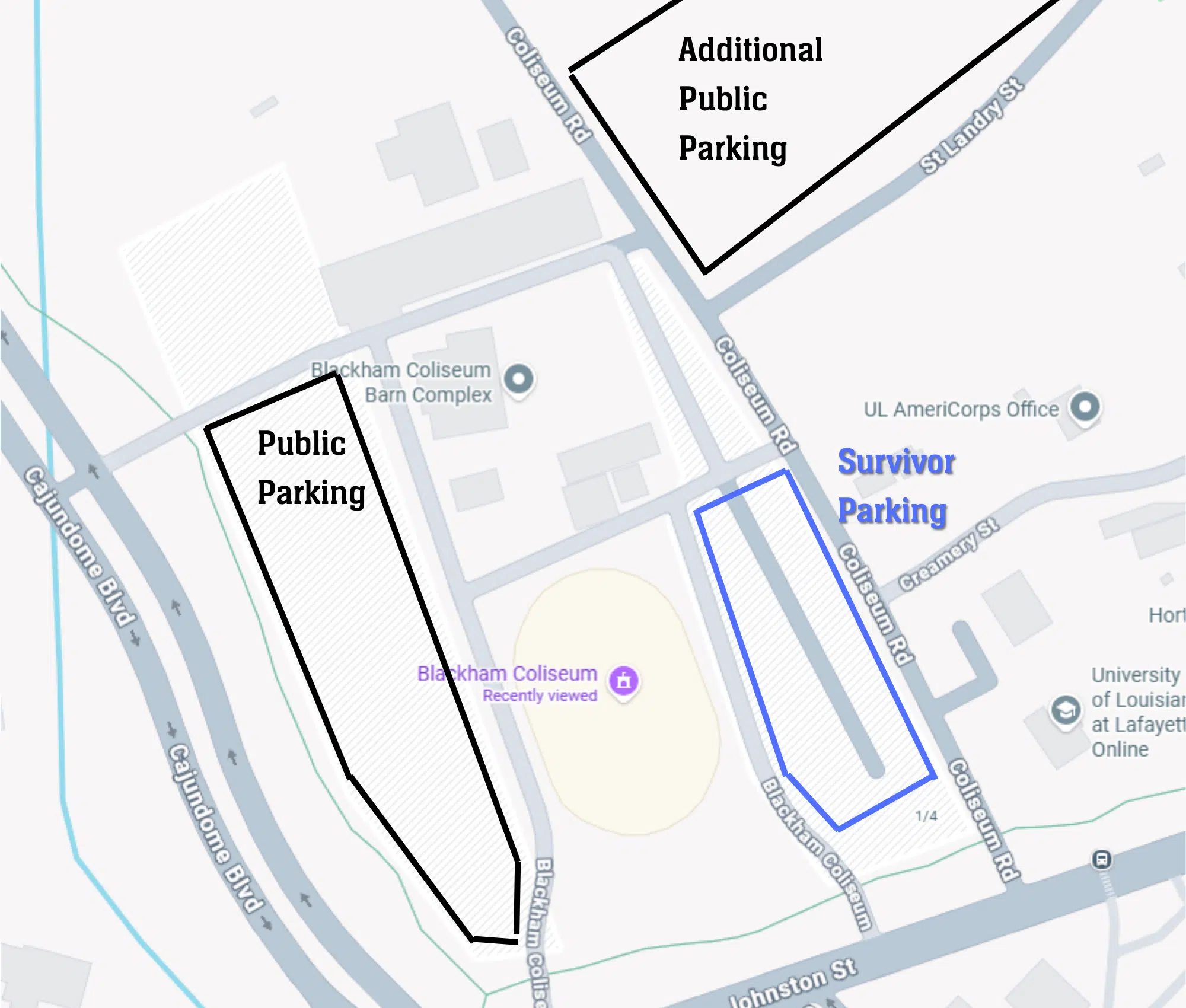
Free public parking is available on the Blackham Coliseum grounds. Enter down Coliseum Rd off of Johnston St., or directly off of Cajundome Blvd. Volunteers will guide you to the appropriate parking space. Special accommodations are available for those who need to park close to the entrance.
Tickets may be purchased for $20 each at milesperret.org/raffle. Tickets are also available at the MPCS office located at 110 Capital Drive, Lafayette, LA 70508. Office hours are Monday through Thursday 8am to 5pm and Friday 8am to 4pm.
Survivors are welcome to attend a Catholic mass at Our Lady of Fatima Church across the street, beginning at 8am.
Survivors are invited to participate in the Survivor Walk during Opening Ceremonies. Check-in for the walk is inside Blackham Coliseum in the Survivor Area.
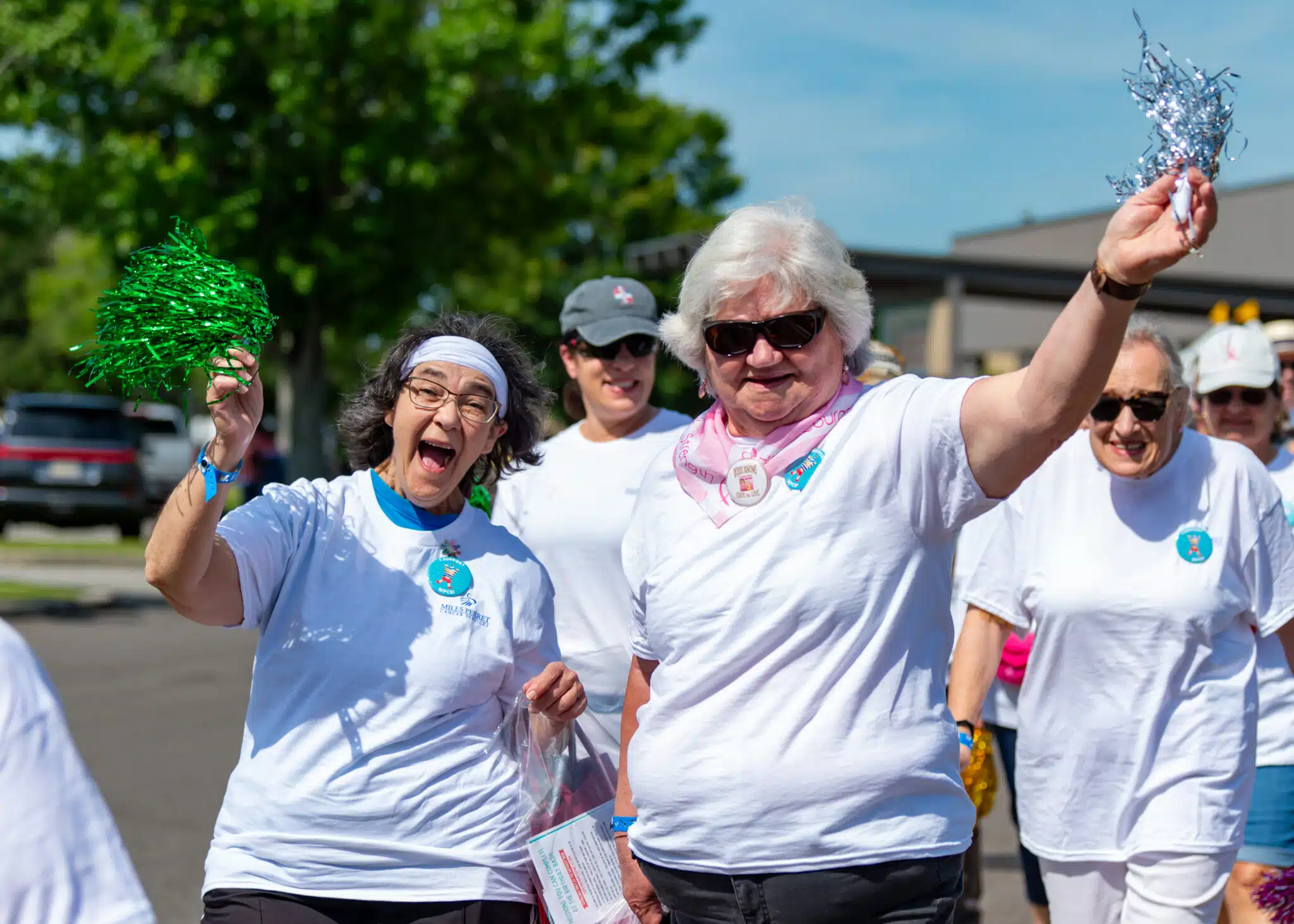
Survivors will receive a complimentary T-Shirt, meal ticket, pompom for the Survivor Walk, and air-conditioned seating for a plus one in the Survivor Area – while supplies last, and given on a first-come, first-served basis.
It does not cost to play the Games of Acadiana Scavenger Hunt. The application software (Goosechase) is free to download on March 30, 2026, and the game will be available for free play May 30 (8:00am) through June 13 (5:00pm). Note: you can improve your score by submitting bottles of change or Venmo donations; however, while appreciated, these donations are not required to earn entries.
Fifty-one (51) prizes will be awarded. Each prize is valued at a minimum of $50. Prizes include:
- Grand Prize – $10,000,
- Tech/electronics prizes,
- Gift cards from businesses and restaurants.
A full listing of prizes will be posted on the MPCS website by Monday, May 18, 2026. All winning tickets associated with the first 50 prizes awarded will be placed back into the hopper for the drawing for the Grand Prize.
The drawing will take place on Saturday, June 20; it will be broadcast live on the MPCS Facebook page (@milesperret), beginning at 10:00am (CST). You need not be present to win. Winners will be contacted via phone, mail, and/or email.
While the app requires you to create a team, you are not required to play with others. You may create a team of one member or join your family and friends in earning points together. But remember – a team can submit only one photo or video per mission. Additionally, any prize won will be awarded to the individual designated as the Team Captain (See below, “Team Captain”). Hint: Your team members may reside anywhere in the world! This is a good way to accomplish Parish Missions – ask friends from other parishes to join your team.
The Survivor walk is a cherished GOA tradition that takes place at the start of the Opening ceremonies. MPCS clients are invited to enter the venue to the applause of the crowd, processing to the stage in a powerful moment of recognition, strength, and hope. The Survivor Walk begins at 10am.
A random drawing will be held on June 20 at 10:00am. Fifty-one (51) prizes will be awarded. Your chances of winning depend on the total number of qualified entries.
Buying raffle tickets is not the only way to obtain entries. Additional entries may be earned by playing the Games of Acadiana Scavenger Hunt. The virtual hunt consists of over 100 “missions.” Each mission has a certain point value. The goal of the scavenger hunt is to perform missions so as to accumulate the number of points required to “earn” entries into the prize drawing. An entry will be awarded for each 10,000 points earned. See Scavenger Hunt FAQs for further details.
Survivors who do not wish to participate in the walk may watch from the Survivor Area. All others will be directed to the stands in the Coliseum.
PLAYING FOR THE FIRST TIME (NO GOOSECHASE ACCOUNT):
- Download the “Goosechase” app from Google Play or the App Store
 Tap “Get Started.”
- In the “Find your Experience” box enter GOA123 or 2026 Games of Acadiana; the game should appear.
- Tap “Sign up.”
- Enter your email. Either adopt the suggested password or create your own. Tap “Sign up.”
- Tap “Let’s Go” and “Join” (confirming your email).
- Either create a team or join a team.
- To create a new team press “Create Team.”
- Enter the name of your new team. Note your team’s passcode – if you want others to join your team and participate with separate mobile devices, they will need this passcode.
- When you are ready to move on, press “Next.”
- Here you will be asked for a nickname; if you are a team of one player, you can enter your team name again. Press “Done.”
- To join a team that’s already been created, scroll and select that team; press “Join.”
- Enter the team’s passcode (obtain passcode from team creator), and press “OK.”
- Here you will be asked for a name you would like to be called within the team. Enter your nickname and press “Done.”
- To create a new team press “Create Team.”
ALREADY HAVE A GOOSECHASE ACCOUNT:
- Note: If you created an account in a previous game, you can log in to that account.
- Search for the game by using game code “GOA123” or by tapping the search icon and entering “2026 Games of Acadiana” in the search bar.
- Once you have selected 2026 Games of Acadiana, press the “Let’s Go!” button.
- Confirm your email by pressing “Join.”
- Either create a team or join a team.
- To create a new team press “Create Team.”
- Here, there are options to: (a) create your team’s name (if you’ve played before, you can reuse your same team name), (b) note your team’s passcode – if you want others to join your team and participate with separate mobile devices, they will need this passcode.
- When you are ready to move on, press “Next.”
- Here you will be asked for a nickname; if you are a team of one player, you can enter your team name again. Press “Done.”
- To create a new team press “Create Team.”
-
- To join a team that’s already been created, scroll and select that team; press “Join.”
- Enter the team’s passcode (obtain passcode from team creator), and press “OK.”
- Here you will be asked for a name you would like to be called within the team. Enter your nickname and press “Done.”
- To join a team that’s already been created, scroll and select that team; press “Join.”
Enable notifications – We strongly recommend you enable notifications within your device’s settings; we will be sending instructions and bonus opportunities throughout the game. Additionally, we will send the winning teams notifications through the app.
Still confused? No worries – contact us at huntacadiana@gmail.com or come to the Kickoff at Blackham Coliseum (Saturday, May 30, 10:00am – 2:00pm)! We will have game specialists onsite during the event ready to help!
The hunt consists of over 100 “missions.” Each mission has a certain point value. The goal of the scavenger hunt is to perform missions so as to accumulate the number of points required to “earn” entries into the prize drawing. A team may earn more than one entry.
Upon registering for the hunt, you will see a listing of available missions with their point values. Some missions may be available early; however, the full playlist will be dropped on May 30 at 8:00am (CST). You may select any mission you are interested in; missions need not be performed in the order listed. To complete a mission, select it from the list and press the “Do This Mission!” button. The app may request access to your camera or microphone – press “OK?” Once you perform the task associated with the mission, you must submit the evidence (photo, video, text, GPS) as indicated. All photo and video evidence must be captured through the Goosechase application. You cannot upload any photos or videos from your camera roll unless it is specifically allowed in the mission instructions.
Make sure you are completing missions accurately (e.g. “take a picture with a zebra” means take a picture with a real zebra, not next to a zebra on a computer screen). The Mission Judges will review all entries for completion and accuracy. Mission Masters will contact you with any issues; if points are deducted, they will explain the deduction and offer suggestions for a successful resubmission.
Entries for the Nintendo Switch 2 are earned by completing a game card and turning it in at the Redemption Center. Game cards can be picked up at the Check-in tables and available per person (one entry per person).
** All game cards are due by 2pm to qualify for an entry into the drawing for the Nintendo Switch 2
Keep playing the virtual scavenger hunt through June 13th to earn entries into the grand prize drawing of $10,000 and 50 prize bundles!
When you submit an answer for a mission, the app awards points immediately. But don’t get comfortable just yet. A team of judges monitors all submissions for accuracy and content. If they spot a problem, the Mission Masters will subtract the points and send you a message explaining how to fix the issue.
Many players wonder what might lead to point deductions. Check out some of the questions we’ve received over the years; these should help clear things up.
- Can I submit anything? Nice try. Every submission is reviewed. If we ask to see three people performing the mission, we will not accept two people and one stuffed animal, one person and two pets, or one person holding photographs of two friends.
- Does my photo/video have to be clear? Yes, please! If we can’t see what’s happening, we’ll have to subtract the points.
- Can I take the photo from really far away? Sadly, the app does not include a zoom feature for judges. So, if we need binoculars to figure out what’s going on, the mission may not count. For us judges, it’s all in the details.
- Can I just take a screen shot of another team’s submission? We know it’s tempting, but NO! Every team must submit its own original work. Besides, Mission Masters have seen every trick in the book, and the pixelation usually gives it away.
- I can’t visit all the parish landmarks and libraries. Can I just take a picture of them on my computer? Sorry, these missions must be completed at the actual locations. Photos of computer screens, books, or online images won’t work. But don’t despair, there are lots of other points out there to collect. Pro Tip: If you can’t visit a particular parish, recruit someone who lives there to join your team (use your team join code to make this happen). They can complete those missions for you. . . but don’t forget, you may have to share a prize with them!
- What if I’m playing alone and the mission directs me to do something with one or two other people? This is where friends and family come in. Recruiting helpers is absolutely fine. In fact, half the fun is getting others involved. Note: your helpers do not have to be official teammates or sign up through the app.
- You’re asking me to sing and dance, and honestly, I’m just not that talented. What do I do? Don’t worry; this is not American Idol and we’re definitely not Simon Cowell! At GOA we celebrate enthusiasm, not talent.
- I’m too shy to show my face in the pictures and videos? No problem! Not every mission requires a close-up. Get creative with masks, props, and camera angles. Just make sure the judges can see all the elements of the challenge.
The scavenger hunt continues through June 13. You should continue playing because for every 10,000 points you collect by completing missions in the app, you earn a free entry into the drawing for 51 fabulous prizes including a $10,000 Grand Prize.
Game questions may be submitted via email to huntacadiana@gmail.com. Mission Masters will monitor the email and respond as soon as possible.
Lost and Found, First Aid, and all other questions can be directed to the Information table inside the Blackham Coliseum lobby.
Yes; jambalaya plate lunches will be available for purchase as well as hotdogs, hamburgers, and concession snacks, at the Concession Stand inside the Blackham Coliseum lobby.
Occasionally the Mission Masters will delete points from a mission you have performed incorrectly. Don’t worry, they will give you a hint about what you did wrong and how to correct it. You can revise/edit your submission as follows: In the Mission tab, move over to your “Completed” column. Select the mission you would like to revise. Press the 3 dots (…) to the right of your team’s name, and press “Edit Answer.”
This year the game begins with one main mission: “Start Here! Welcome to the 2026 Games of Acadiana Scavenger Hunt.” Once you perform the mission, the entire game will unlock and over 100 missions will appear. This mission calls for the designation of a team captain. Whether you are a team of one or are playing with friends and family, ALL TEAMS MUST DESIGNATE A TEAM CAPTAIN; failure to complete this mission may result in a team forfeiting any and all entries earned. Simply press the “Do This Mission!” button, type the first AND last name of the team captain, and click on “Submit.” While the name will be visible to you and your team members, it will NOT be visible to the public in the activity feed. Make sure the captain has a photo ID; they will need to present it in order to claim a prize.
Stroller Parking is available inside the Blackham Coliseum lobby. Visit the Information Table for details.
An entry will be awarded for each 10,000 points earned. No partial entries are awarded. There will be no rounding up. For example:
- 10,700 points = 1 entry into drawing
- 18,500 points = 1 entry into drawing
- 21,000 points = 2 entries into drawing
- 49,000 points = 4 entries into drawing
Note: the entry is assigned to the team captain (see above, “Team Captain”); team members do not receive individual entries.
Once the hunt has ended, all entries will be entered into a database and assigned an individualized random ticket number. Entry tickets with team captain’s name, team name, and assigned ticket number(s) will then be printed and placed in a raffle hopper along with the purchased entries (raffle tickets).
We love our furry friends, but we ask that you please leave all pets at home.
All ages are able to enjoy the Kickoff. There are games geared towards toddlers, teens, and adults. Bring the whole family, there will be fun for everyone!
Fifty-one (51) prizes will be awarded. Each prize is valued at a minimum of $50. Prizes include:
- Grand Prize – $10,000,
- Tech/electronics prizes,
- Gift cards from businesses and restaurants.
A full listing of prizes will be posted on the MPCS website by Monday, May 18, 2026. All winning entries associated with the first 50 prizes awarded will be placed back into the hopper for the drawing for the Grand Prize.
The drawing will take place on Saturday, June 20; it will be broadcast live on the MPCS Facebook page (@milesperret), beginning at 10:00am (CST). You need not be present to win. Winners will be contacted via the Goosechase app, phone, mail, and/or email.
Raffle Ticket Ambassadors help sell tickets and make a meaningful difference for Games of Acadiana. View a list of ambassadors by clicking here or by typing “milesperret.org/ambassadors” into your browser.
In order to register, you must download the free Goosechase app, join the 2026 Games of Acadiana experience, and successfully complete at least one mission. We recommend that you download the app and join the game in advance. When you arrive on site you can perform the first mission “Welcome to the Kickoff” and then go directly to the wristband table and check-in.
A random drawing will be held on June 20 at 10:00am. Fifty-one (51) prizes will be awarded. Your chances of winning depend on the total number of qualified entries.
Unless otherwise stated, all submissions (photos, videos, text) are posted in real time to the app activity feed. Thus, they are visible to every person participating in the game. DO NOT SUBMIT PERSONAL INFORMATION you consider private (INCLUDING, BUT NOT LIMITED TO, YOUR IDENTITY OR HOME ADDRESS). Additionally, participation in the game serves as acceptance of the Terms of Use and consent to the promotional use of said photos, videos, or texts without compensation or any additional consent. Participants release and waive any claims and demands against MPCS arising from its use of his/her name, image, or likeness.
No, you do not need to attend in order to play the scavenger hunt. However, we will be releasing several limited-edition missions, worth 1000s of points, that can only be completed at the kickoff event.
No. Videos must be captured through the app (Goosechase) and can only be up to 30 seconds long. If a video mission takes longer than 30 seconds to complete, don’t stress. Try to capture yourself finishing the mission as proof of completion. Don’t forget to put all required details in the captions.
Note: It is not necessary to use the entire 30 seconds. If you complete the mission in under 30 seconds simply press “Submit.”
PLAYING FOR THE FIRST TIME (NO GOOSECHASE ACCOUNT):
- Download the “Goosechase” app from Google Play or the App Store
- Tap “Get Started.”
- In the “Find your Experience” box enter GOA123 or 2026 Games of Acadiana; the game should appear.
- Tap “Sign up.”
- Enter your email. Either adopt the suggested password or create your own. Tap “Sign up.”
- Tap “Let’s Go” and “Join” (confirming your email).
- Either create a team or join a team.
- To create a new team press “Create Team.”
- Enter the name of your new team. Note your team’s passcode – if you want others to join your team and participate with separate mobile devices, they will need this passcode.
- When you are ready to move on, press “Next.”
- Here you will be asked for a nickname; if you are a team of one player, you can enter your team name again. Press “Done.”
- To join a team that’s already been created, scroll and select that team; press “Join.”
- Enter the team’s passcode (obtain passcode from team creator), and press “OK.”
- Here you will be asked for a name you would like to be called within the team. Enter your nickname and press “Done.”
- To create a new team press “Create Team.”
ALREADY HAVE A GOOSECHASE ACCOUNT:
- Note: If you created an account in a previous game, you can log in to that account.
- Search for the game by using game code “GOA123” or by tapping the search icon and entering “2026 Games of Acadiana” in the search bar.
- Once you have selected 2026 Games of Acadiana, press the “Let’s Go!” button.
- Confirm your email by pressing “Join.”
- Either create a team or join a team.
- To create a new team press “Create Team.”
- Here, there are options to: (a) create your team’s name (if you’ve played before, you can reuse your same team name), (b) note your team’s passcode – if you want others to join your team and participate with separate mobile devices, they will need this passcode.
- When you are ready to move on, press “Next.”
- Here you will be asked for a nickname; if you are a team of one player, you can enter your team name again. Press “Done.”
- To create a new team press “Create Team.”
-
- To join a team that’s already been created, scroll and select that team; press “Join.”
- Enter the team’s passcode (obtain passcode from team creator), and press “OK.”
- Here you will be asked for a name you would like to be called within the team. Enter your nickname and press “Done.”
- To join a team that’s already been created, scroll and select that team; press “Join.”
Enable notifications – We strongly recommend you enable notifications within your device’s settings; we will be sending instructions and bonus opportunities throughout the game. Additionally, we will send the winning teams notifications through the app.
Still confused? No worries – contact us at huntacadiana@gmail.com or come to the Kickoff at Blackham Coliseum (Saturday, May 30, 10:00am – 2:00pm)! We will have game specialists onsite during the event ready to help!
Before submitting your evidence, you have the option (and in some missions, the requirement) to caption your photo or video. You also have the option to revise your caption after submission. In the Mission tab, move over to your “Completed” column. Select the mission you would like to revise, and press the three dots (…) on the right side of your team name. Press “Edit Caption.” Once you have edited/added your caption, don’t forget to press “Save.”
You cannot comment on photo/video evidence of others. However, you may “Like” other submissions by pressing the thumbs up symbol associated with those submissions.
You can revise/edit your submission as follows: In the Mission tab, move over to your “Completed” column. Select the mission you would like to revise. Press the 3 dots (…) to the right of your team’s name, and press “Edit Answer.”
You can delete your submission as follows: in the Mission tab, move to your “Completed” column. Select the mission you would like to delete. Press the 3 dots (…) to the right of your team’s name. Press “delete submission” and confirm with “Ok.”
Unfortunately, this is an application error. The best thing to do is close out the application and try again. If this happens after you take your picture or video, your evidence may be lost and, you will have to try again before the mission is considered complete.
Using the navigation bar at the bottom of your screen, you can track your progress via the activity feed and the leaderboard. Both tabs are updated in real time. New this year, while you will always know your score, the leaderboard will not be visible until the second week of the game. Remember, while we all love a little friendly competition, every entry has the same chance of winning. In fact, in past years, teams with just one entry have walked away with some of our biggest prizes! So, keep playing, keep earning points, and most importantly – have fun Playing with a Purpose!
Periodically, the Mission Masters will send you messages. They will arrive via “notifications” and may be retrieved within the app with the “bell” icon on the navigation bar. Tip: The Mission Masters will be releasing exciting bonus opportunities and time sensitive updates throughout the game. Make sure you have notifications for the Goosechase app enabled in your device’s settings so you don’t miss a thing!
To see what missions need a do-over, go to app navigation bar (bottom of screen) and press the “account” icon (the one on the far right). You will see a listing of all missions your team has performed. Look for red bubbles; those are missions that need some attention. You should also see a hint as to how to fix the problem. To make corrections, select the mission you would like to revise, press the 3 dots (…) to the right of your team’s name, and tap “Edit Answer.” It’s as easy as that!
If you return full bottles of change or solicit Venmo donations you are entitled to bonus points as follows: 1 full bottle of change = 10,000 bonus points; $20 venmo donation = 10,000 bonus points. A quick way to ensure that your points were added is as follows: go to app navigation bar (bottom of screen) and press the “account” icon (the one on the far right). You will see a listing of all missions your team has performed. Look for green bubbles; those should confirm your bonus points. Remember, bonus points are added manually; it can take up to 24 hours for the bonus points to appear in your score total. If you have questions, contact the Mission Masters at huntacadiana@gmail.com.
Occasionally we get questions from players about score changes. Please note that if the Mission Masters adjust your score (either by adding bonus points or subtracting points for an incomplete mission) you will always get an official notification via the app. If your score has increased without a notification, it is possible that one of your teammates performed a mission and didn’t advise you. If your score has decreased without a notification, it is possible that one of your teammates has left your team. If/when a teammate officially withdraws from your team, all points that teammate earned for your team will be subtracted from your score. Unfortunately, this is done automatically within the app; the Mission Masters cannot alter this outcome.
From 8:00pm through 8:00am, the activity feed will be hidden from view. During those hours, you can continue to perform missions and submit evidence. Points will be awarded immediately; however, the submissions will not be reviewed for accuracy until the morning. When the feed goes “live” again at 8:00am, all submissions, including those submitted overnight, will become visible again in the activity feed and will be reviewed by the judges.
While MPCS does monitor the feed, it is important to know that the feed occurs in real time. MPCS cannot review the submissions prior to their becoming part of the feed; thus, be mindful that other teams could submit content you may feel is offensive, indecent, objectionable, or inappropriate for viewing. MPCS has the ability to remove such content and does so when warranted. MPCS reserves the right to remove any submission it, in its sole discretion, deems objectionable. Should you have concerns about a particular submission, please contact us at huntacadiana@gmail.com.
You can leave the experience by swiping left on the experience icon. Note: this is NOT just “logging out” of the game. Pressing “Leave” will result in you permanently deleting ALL of your submissions. Warning: The Mission Masters have no way of restoring those submissions.
Some missions, once they appear, are set to expire before the end of the game. These are typically surprise missions and are worth many points. The expiration day and time will be clearly marked on the mission. Pro Tip: Check your notifications frequently for new mission releases.
Some missions are like keys: complete them, and surprise missions will magically appear. These hidden gems are worth big points, so give each mission a shot. You never know what kind of fun (or points) you’ll unlock! We try to give subtle hints in unlocking missions – so read carefully.
Earning points is not the only way to obtain entries. Additional entries (raffle tickets) may be purchased for $20 each. Raffle tickets will be available for purchase beginning Monday, March 30, 2026, at 10:00am (CST) and ending Sunday, June 14, 2026, at 11:59pm (CST). Visit milesperret.org/raffle to purchase your additional entries.
An entry into the prize drawing will be awarded for each 10,000 points earned. There are a few ways to boost your scores with bonus points:
- GOA Welcome Email Puzzle: This year, every team that registers before 6:00pm (CST) on Sunday, May 3rd, will receive a welcome email with a link to a puzzle. This puzzle must be completed by 8:00pm (CST) on Sunday, May 3rd, to receive 1,000 bonus points.
- Early Birds (May): Three pre-game bonus opportunities will be revealed during May.
- Welcome, Rockstar! (#1): This mission will be released on May 4 and will permanently expire on May 10. (+1000 points)
- Welcome Back, Rockstar! (#2): This mission will be released on May 11 and will permanently expire on May 17. (+1000 points)
- Still Rockin’, Rockstar! (#3): This mission will be released on May 18 and will permanently expire on May 24. (+1000 points)
- GOA Kickoff: Attend the Kickoff Saturday, May 30 for exclusive missions worth thousands of points. See “Anything New this Year?” for further details.
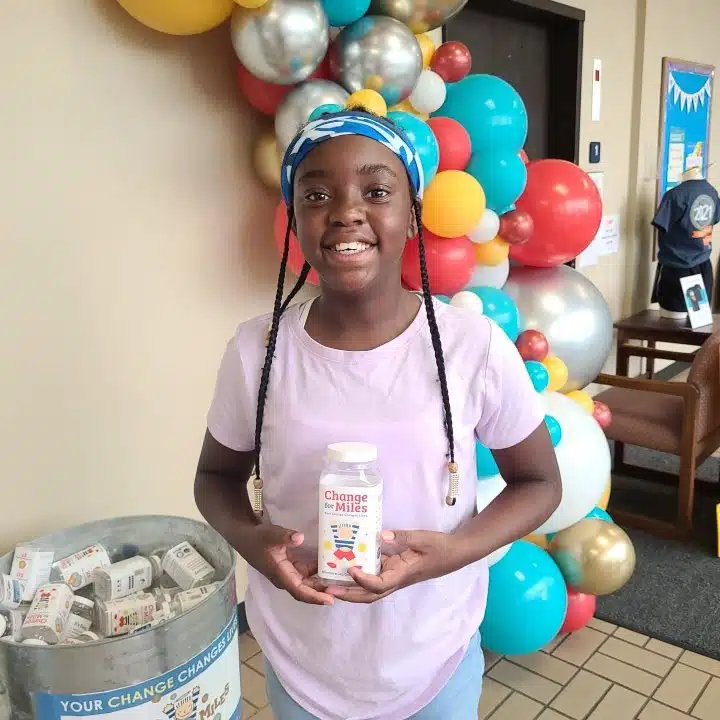
- Change for Miles: Earn 10,000 bonus points for each full Change for Miles bottle returned to MPCS before June 13, 2:00pm. For the duration of the game, bottles can be collected or returned at the MPCS lobby, Monday through Thursday (8am – 5pm), Friday (8am – 4pm), and Saturday (10am-2pm). Note: On Saturday, May 30 bottle pick up and drop off will be located at 2330 Johnston Street (Blackham Coliseum) at the GOA Kickoff. Note: Extra points are not awarded immediately; they will be added to your totals within 24 hours of submission. If you are not able to travel to the MPCS office to return full bottles, you may earn 10,000 bonus points for each $20 donation made via Venmo. To be eligible for bonus points, the Venmo transactions must be completed no later than June 13, 2:00pm. View all Change for Miles Venmo rules by clicking here or typing “milesperret.org/change” into your browser.
- Creativity Bonus: Returning this year, by popular demand, we have designed a way to reward those teams that go the extra mile with their submissions. Following the close of the game, an independent committee will review all submissions for the missions “America 250,” “Cover Story,” and “Love Story.” Judging the submissions on creativity and style, the committee will determine the 1st place winner for each of those missions. The 1st place winners will be awarded 10,000 creativity bonus points. The points will be added to their final score after the game has closed. Winners will be notified via the app.
- Harmony Garden: This year, earn 1,000 points when you visit the lobby of the Miles Perret Cancer Services office and take a photograph with one of our vinyl records. Personalize the record, letting us know something or someone you are celebrating and we’ll “plant” it outside, around the office. Join us as we watch our garden grow! Note: On May 30th, the records will be located at the Kickoff (Blackham Coliseum).
- Kazoo Quest: This mission requires a photo be taken of a jar filled with kazoos. The jar is located in the MPCS lobby; on May 30th it will be located at the Kickoff (Blackham Coliseum). When you submit the photograph, you will be given the opportunity to guess how many Kazoos are in the jar. The team(s) coming closest to the correct number (without going over) will be awarded 10,000 bonus points! Points will be awarded after the close of the game.
- Mission Masters Bonus: Ever wonder what Mission Masters do all day and night? We watch the submissions around the clock! Each Mission Master reviews every submission (even the hidden ones) at least once. We may feel a little “screen-weary,” but we are always entertained. Since we are in the unique position of seeing all submissions, this year we want to get in on the action. Each Mission Master (this year there are 2) will award 10,000 bonus points to their favorite submission of the game. These points will be awarded after the close of the game. Winners will be notified via the app. Don’t worry. Mission Masters do not play the game; we have no vested interest.
- Parish Mystery Word: In each of the 10 parishes we serve, we have hidden a letter of the alphabet. Visit all 10 parishes, accumulate the letters, and unscramble them to discover the Parish Mystery Word. A correct response is worth 7,500 bonus points.
- Sponsor Surprise Days: On certain days throughout the game, Sponsor Surprise missions will appear. These missions are complements of our presenting sponsors and will be worth 2,500 points! Is there a catch? Yes, Sponsor Surprise missions will be available for a limited time only. They will be posted at 8am on the relevant day and MUST be performed by 8pm that night. At 8pm the mission will expire and no longer be available for play.
- Venmo for Miles: Have any friends or family (or even social media followers!) who want to help propel your team to victory? Here’s how! Anyone can make a donation of $20 or more via Venmo to @MilesPerretCS, including your team name in the comment section. For every $20 donated, your team will receive a bonus of 10,000 points! To be eligible for bonus points, the Venmo transactions must be completed no later than June 13, 2:00pm. View all Venmo for Miles Rules by clicking here or typing “milesperret.org/venmo” into your browser.
- Keep checking back: We will be adding more bonus missions and ways to score bonus points soon.
Yes!
- We’ve Moved! Our new address is 110 Capital Drive, Lafayette, LA 70508. We are so happy with our new space. It allows us to offer expanded programs and help more clients. We are anxious to see you there.
- Join us for a GOA Kickoff event. On Saturday, May 30, join us at Blackham Coliseum (2330 Johnston Street) as we officially kick off the Games of Acadiana Virtual Scavenger Hunt. The kickoff will feature a Survivor Walk, interactive games, and high-energy entertainment. The event is free and open to the public. The hours are 10:00am to 2:00pm.
- Have questions about how to play the scavenger hunt? We will have Games experts there to help you get started and lots of missions available to perform. And for you avid hunters, several exclusive missions, worth 1000s of points, will be available only on site.
- We can’t wait to see you there as we commemorate 26 years of hope, service, and Playing with a Purpose!
- Leaderboard Trophy: You certainly are a competitive bunch! If you doubt us, just watch the leaderboard as teams go head-to-had for the top spots. In 2026 the top three (3) teams on the leaderboard (after all scores are finalized by the Mission Masters and all bonuses awarded) will take home trophies honoring their incredible achievement . . . and, of course, the ultimate bragging rights!
- Road trip anyone? In 2026, each of the 10 MPCS service parishes has four unique missions: (1) a traditional “Welcome” mission highlighting a landmark in the parish, (2) a “GPS” mission requiring you to visit a public library near the landmark and enter its geographic coordinates (easier than it sounds), (3) a “Scramble” mission requiring you locate a letter hidden in a window of the parish library (again, easier than it sounds), and (4) a “Noteworthy Natives” mission highlighting famous musicians from each parish (Googling for answers is allowed). Each parish mission is valued at 500 points, the Parish Mystery Word mission is valued at 7,500 points, and a parish lagniappe mission is worth 2,500 points; so, completion of all 42 missions will earn you 30,000 points – that’s over 3 entries!
- New this year: in addition to the points earned for completing the missions, every team that completes all 42 parish missions will receive a prize available for pick up at our new offices (110 Capital Drive, Lafayette, LA 70508). So, fire up GoggleMaps or Waze and hit the road. Hint: To keep you entertained, we may release a few parish riddles along the way.
- Keep checking back: As we further develop the game we will be adding more information here.
Become a Sponsor
While GOA evolves, its mission and the critical role sponsors play never changes. Funds raised have enabled Miles Perret Cancer Services to assist more than 28,000 local families fighting, surviving, and living with cancer. Your support makes this impact possible.
While players enjoy competing for exciting prizes, the heart of Games runs much deeper; it is about standing beside friends and neighbors facing cancer. We invite you to join our team and be part of that support. Your sponsorship involvement helps ensure we can meet the evolving needs of local families, and because 100% of donations stay local, the impact is immediate, personal, and powerful-truly, neighbors helping neighbors.
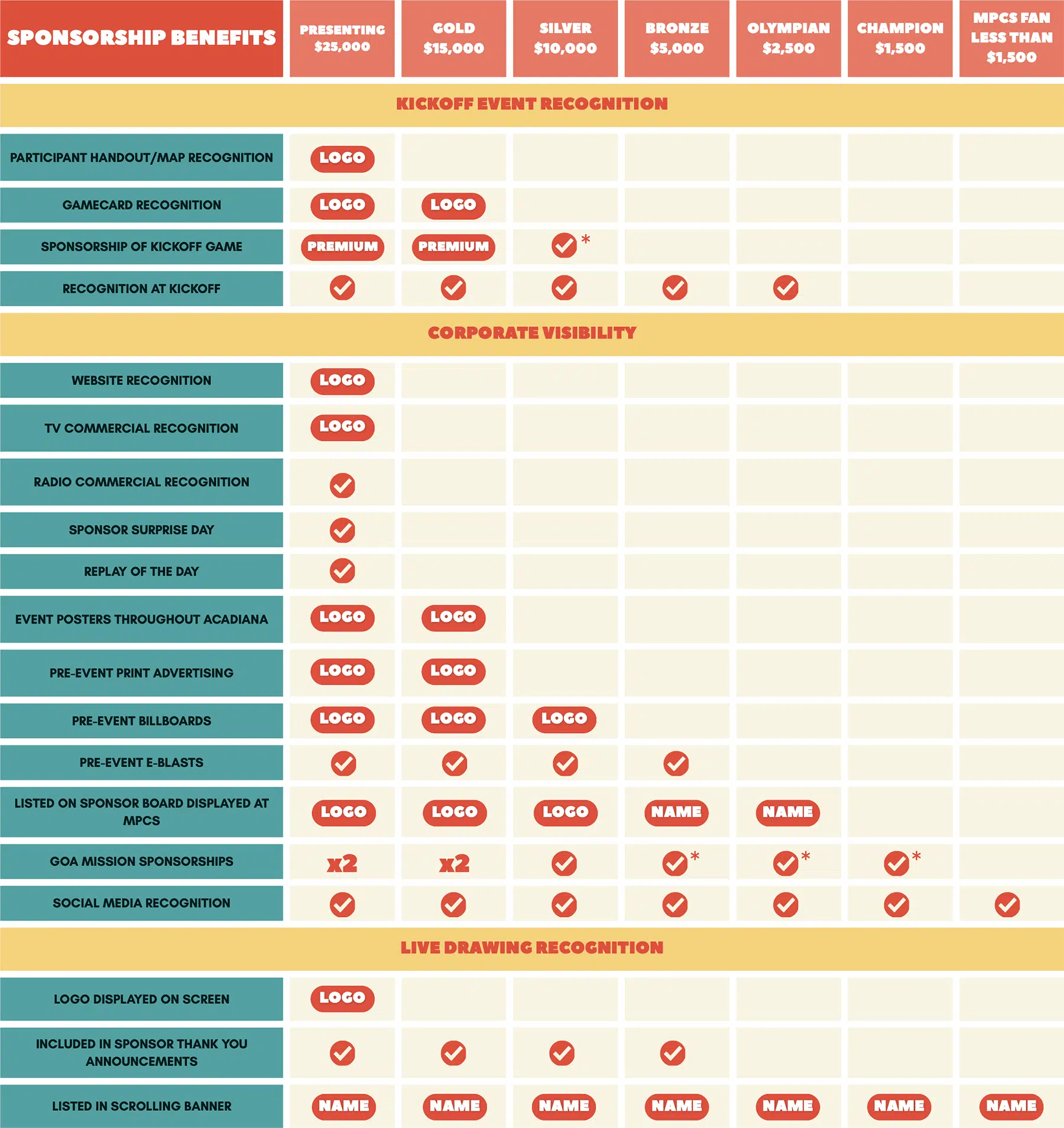
✓=Included With Sponsorship
*Sponsors at Bronze, Olympian, and Champion levels are subject to mission co-sponsorship. All benefits are limited to 1 company logo or name.
Deadline: To receive all sponsorship benefits, sponsor registration form must be received by April 17, 2026.
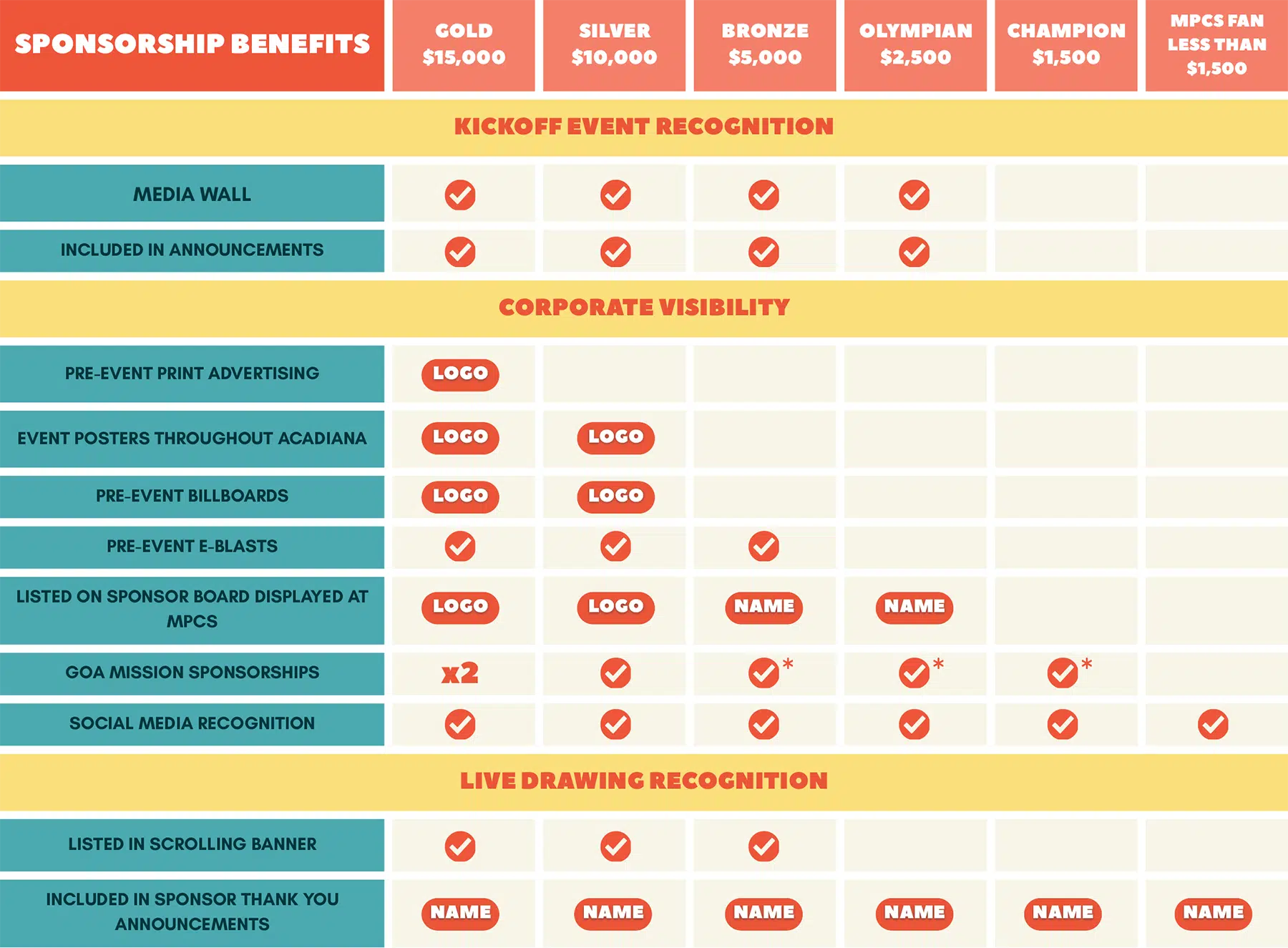
✓=Included With Sponsorship
*Sponsors at Bronze, Olympian, and Champion levels are subject to mission co-sponsorship. All benefits are limited to 1 company logo or name.
Deadline: To receive all sponsorship benefits, sponsor registration form must be received by April 17, 2026.
THANK YOU TO OUR PRESENTING SPONSORS!